Pupils book themselves. You sleep.
No more 10pm text messages about lesson times.
Key benefits
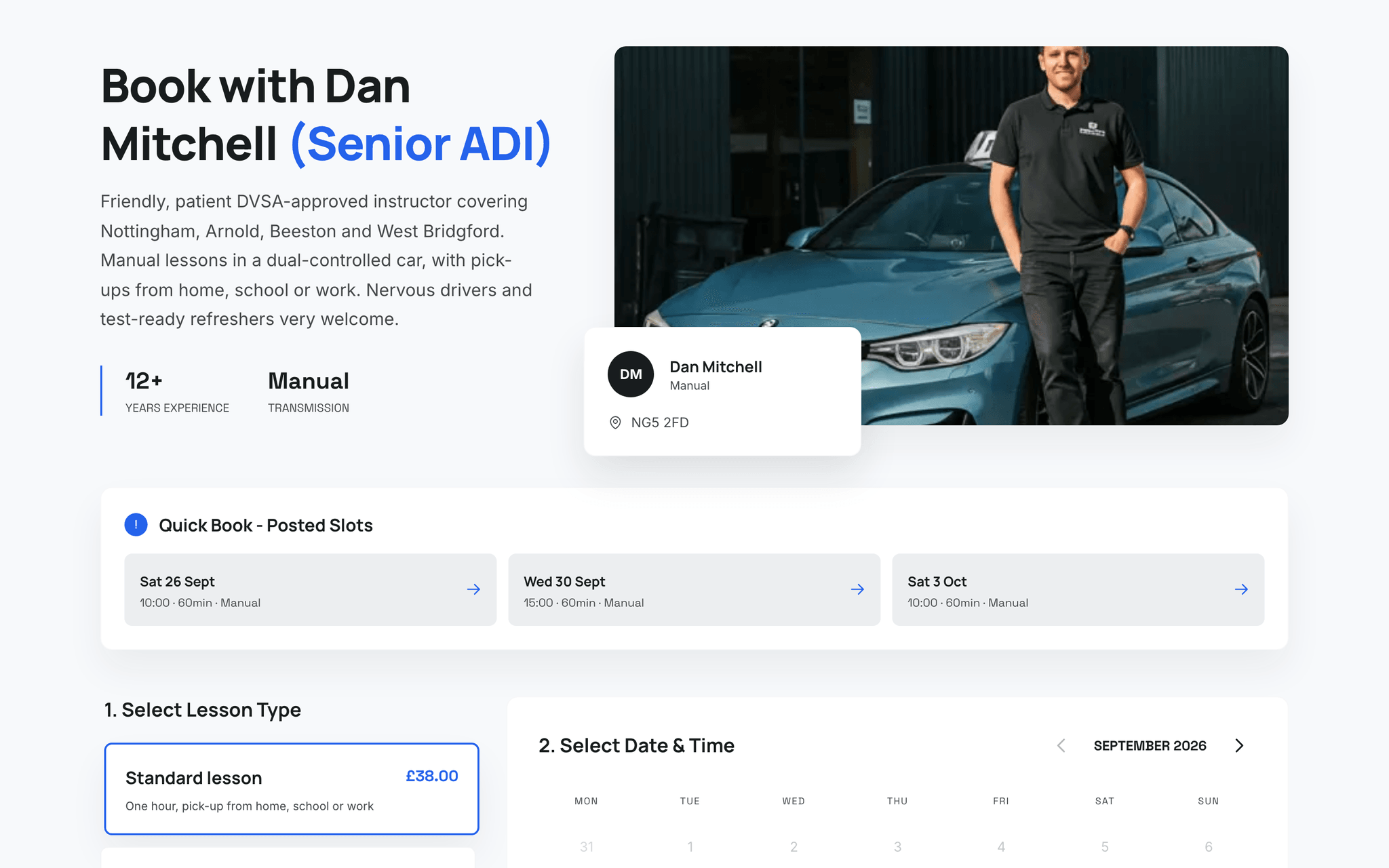
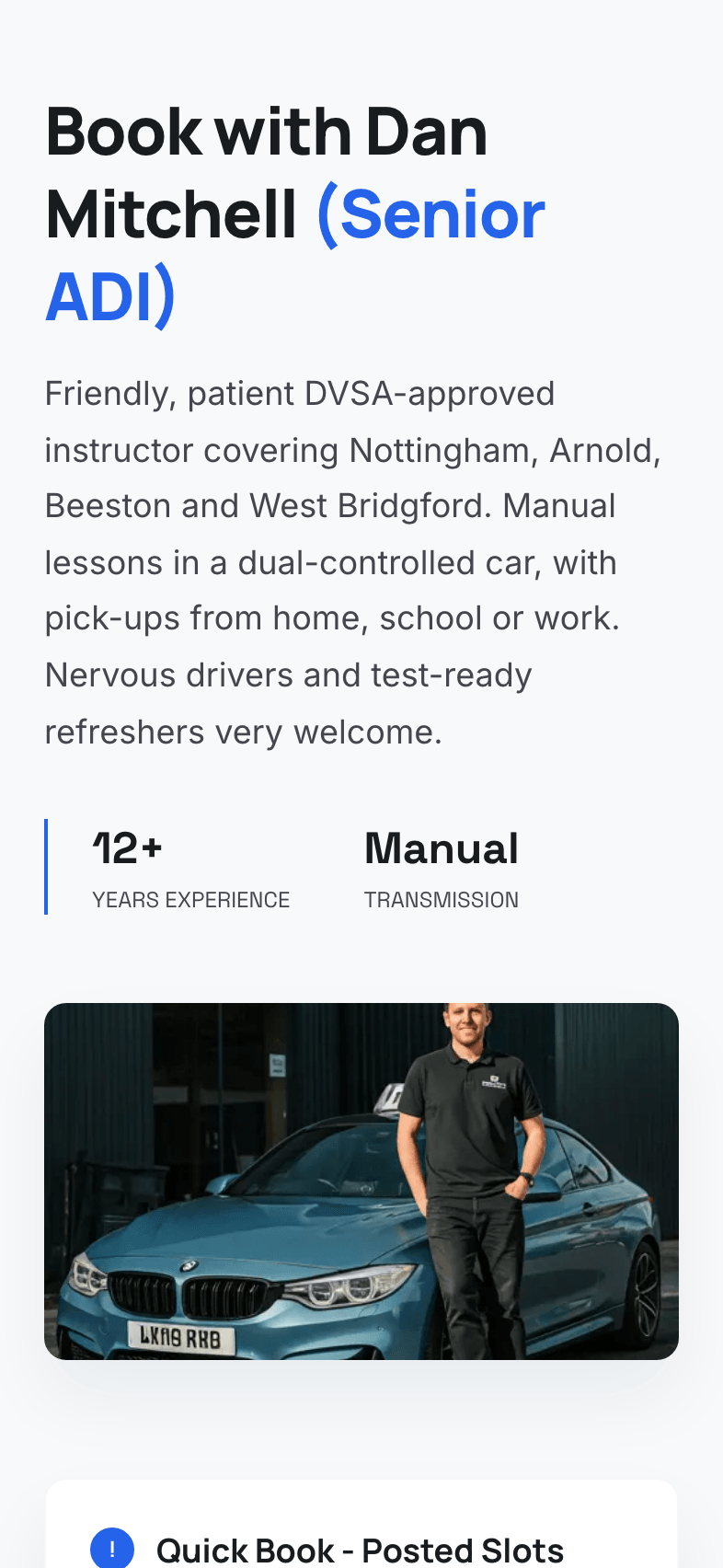
Your own booking page
A branded page at orbitdriving.com/book/your-name that pupils can visit anytime to see your availability and book a lesson.
24/7 availability
Pupils book at midnight, on the bus, or during their lunch break. Your diary fills up while you're teaching - or sleeping.
Payment at booking
Collect payment the moment a lesson is booked. No more chasing, no more awkward conversations about money.
Embeddable widget
Drop a booking widget onto your existing website with a single line of code. Pupils book without leaving your site.
Waiting list
Fully booked? Pupils join your waiting list. When a pupil cancels through their portal, the first person on the list is emailed that a slot has opened.
Automated confirmations
Pupils receive instant confirmation emails and reminders. You never have to send a 'see you Tuesday' text again.
Your branded booking page
Every instructor gets a personal booking page at orbitdriving.com/book/your-name. Share the link on social media, print it on your car, or text it to new enquiries. Pupils see your real-time availability, pick a slot, and pay - all without a single phone call.
- Shows your live calendar availability
- Pupils pick their preferred lesson length
- Collect payment or deposit at the point of booking
- Works beautifully on mobile, tablet, and desktop
Embed on your own website
Already have a website? Paste a single line of code and your booking calendar appears right there. It matches your site's look, so pupils never feel like they've left. Works with WordPress, Wix, Squarespace, and any HTML site.
- One-line embed code - no developer needed
- Responsive design that fits any layout
- Pupils book without leaving your website
- Customisable colours to match your brand
A waiting list for cancelled slots
When every slot is taken, new enquiries can join your waiting list instead of moving on to another instructor. When a pupil cancels a lesson through their portal, the first person on the list gets an email saying a slot has opened, with a prompt to book it. You can also post a gap slot and choose to email everyone on the list.
- First person on the list emailed when a pupil cancels
- Pupils join from your booking page with an email or phone number
- The list keeps the order people joined in
- Optional email to the whole list when you post a gap slot
Fill a cancelled slot with a gap slot
When a lesson is cancelled, post the freed time as a gap slot. It shows on your booking page and in your pupils' portals, and you can choose to email everyone on your waiting list about it. The first learner to claim it gets the lesson, and it lands in your diary on its own. You can also post a gap slot for any free time straight from the diary.
- Offer a cancelled lesson's time to your waiting list in one step
- Gap slots show on your booking page and in the pupil portal
- First learner to claim it gets the lesson
- Open gap slots are marked on your diary until someone takes them
Questions & answers
Can I control my availability?
Do pupils need to create an account?
Can I embed the booking widget on my own website?
What about cancellations?
Is there a waiting list?
How much does the online booking system cost?
Does Orbit send lesson reminders to pupils?
Can I charge cancellation fees automatically?
Are you a learner? Find an instructor near you