Your diary, on autopilot.
Ditch the paper diary and stop juggling text messages. Orbit gives you a smart, drag-and-drop calendar that keeps your week organised and your pupils informed - automatically.
Key benefits
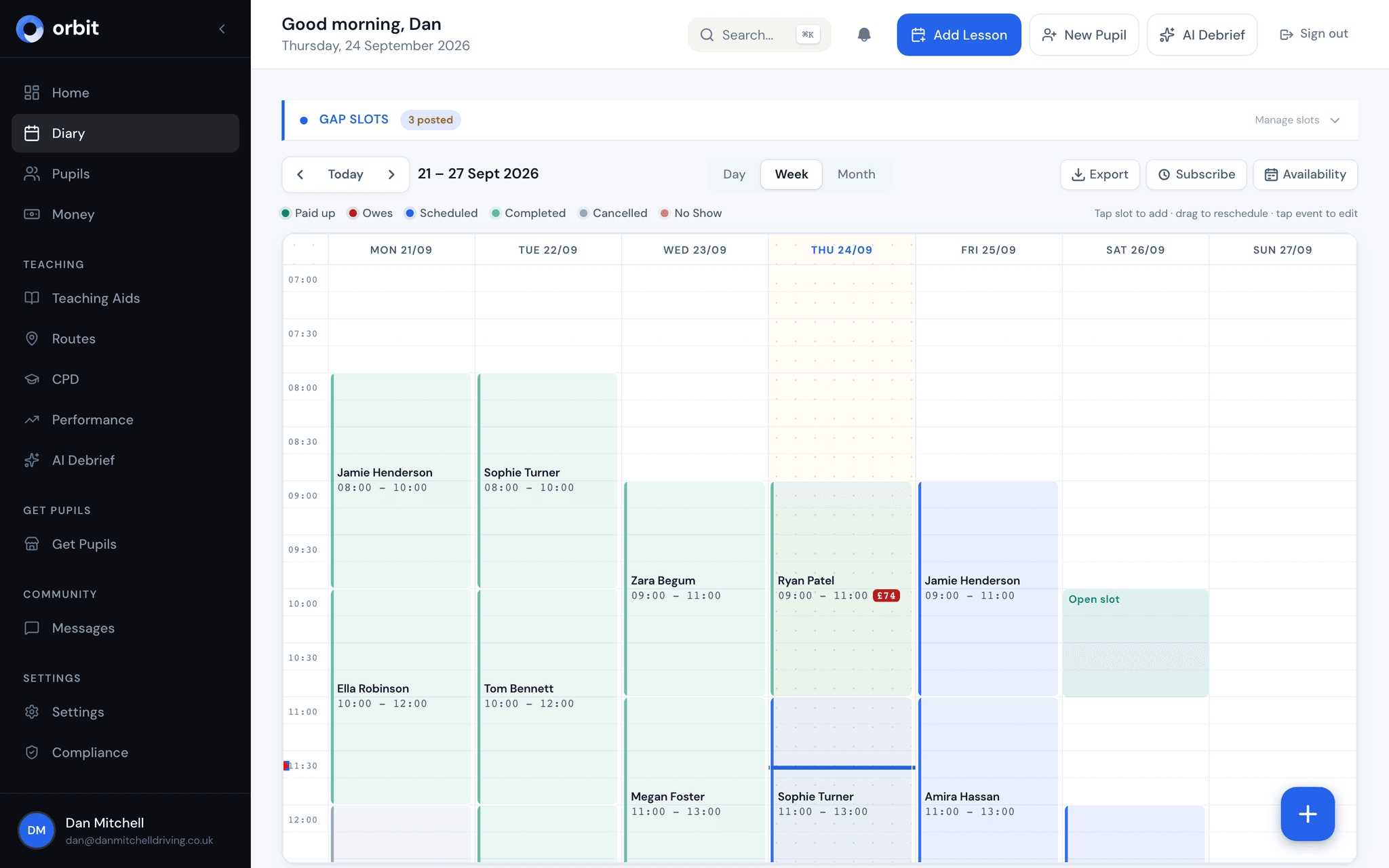
Drag-and-drop scheduling
Move lessons around your week with a single drag. Day, week, and month views let you see your diary exactly how you want it.
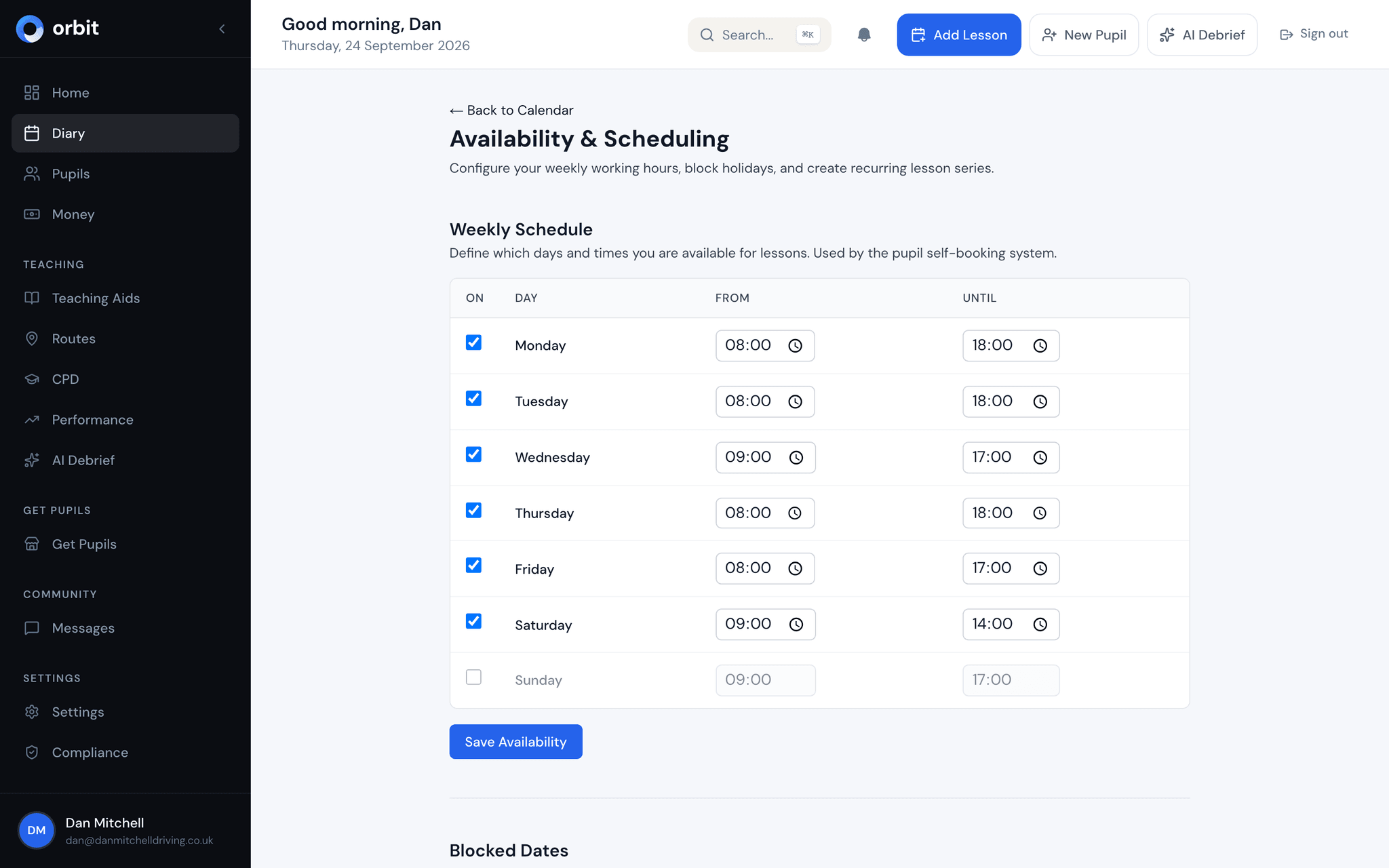
Availability windows
Set recurring working hours and block days off. Pupils can only book into slots that fit your schedule - no more double bookings.
Automated lesson reminders
Pupils get email reminders before every lesson, plus a push notification if they've switched them on. Reduce no-shows without lifting a finger.
Android app, or any browser
Get Orbit on Google Play, or use it in your browser and add it to your home screen. The iPhone app is coming soon.
Colour-coded by pupil & type
Instantly see who you're teaching and what type of lesson it is. Colour coding makes scanning your week effortless.
Cancellation tracking
Log cancellations and late-cancels directly from the calendar. Orbit tracks patterns so you can protect your income.
A calendar built for life on the road
Most calendar apps weren't designed for driving instructors. Orbit's diary is purpose-built for ADIs who spend their day in the car and need their schedule at a glance, on whichever device is to hand.
- Day, week, and month views with smooth drag-and-drop
- Tap any empty slot to create a lesson in seconds
- Lessons colour-coded by type - standard, motorway, test prep, and more
- Orbit for Android on Google Play, or install it from your browser to your home screen
Set your hours, block your breaks
You control when you work. Set recurring availability windows for each day of the week, and mark specific dates as unavailable for holidays or admin time. Your public booking page respects these boundaries automatically.
- Recurring weekly availability - set it once, it repeats
- Block individual days or date ranges for time off
- Availability feeds directly into your online booking page
- No risk of double-bookings or lessons outside your working hours
Your lessons in Google Calendar or Apple Calendar
Keep your personal calendar and your teaching diary in one view. Subscribe to your private Orbit calendar link from Google Calendar or Apple Calendar and your lessons appear there, kept up to date automatically as you book, move or cancel them in Orbit.
- Add it from Subscribe in your Orbit diary
- Lessons update automatically, cancelled ones drop off
- Shows pupil name and pickup address with each lesson
- Reset the link at any time to stop old subscriptions
Fewer no-shows, less chasing
Automated email reminders go out before every lesson so your pupils always know when you're coming. If someone cancels, Orbit logs it and tracks the pattern - so you can spot unreliable bookers before they waste more of your time.
- Automated email reminders 24 hours and 2 hours before each lesson
- Cancellation and late-cancel logging built into the calendar
- Track cancellation rates per pupil over time
- Protect your income with clear cancellation data